Have you ever replaced an
Apollo XP95-P or XP95-I addressable smoke detector on a Gamewell 600
series fire alarm control panel? If you have been in the industry for a while, then chances are that you have.
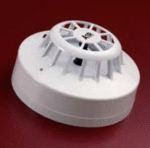
Let me paint a scenario for you. You receive a call from a customer or your central station claiming that their
Gamewell 600 series fire alarm control panel is displaying a missing fault for an addressable smoke detector. Your technician responds and replaces the device one for one. (of course this is after he or she troubleshoots the other probable causes for a missing device) Now if you have determined that the device was bad and needed to be replaced then there should be no issues with a one for one swap, "right?'. Well the anser is yes and no. Most of the time the panel will poll the
SLC (signaling line circuit) loop and find the newly installed XP95-P or XP95-I. On some occasions the fire alarm control panel may display a Pre-Alarm condition for that brand new device.
According to Gamewell's technical support department, this is caused from the panel's internal memory for each device's status. So theoretically the fire control panel is still finding the status of the old device for that particular address. Maybe before the device went missing it was dirty to the point of no return. Now the panel is showing a Pre-Alarm due to the mistaken identity of the old vs. new device.
With that said, have no fear there is a quick fix. Simply enter programming mode through the front display and select #1 for "Circuit Programming" then select #3 for "Initialize Circuit". Once the panel finishes scrolling through a few items enter the circuit number that the particular device is on and hit enter. This should re-poll the entire loop and reset the panel's memory for that device. To exit programming mode continue to hit the "enter" key until the panel displays "Commencing System Reset".
This should take care of your fault. If not read my article on Gamewell's 600 Series Soft Reset.


